

Lessons & courts
See bookings, coaches and court times in one schedule.
Tennis scheduling for coaches & clubs
Your lessons, courts and clients, together. Manage your day on the web and iPhone.
Preview our next mobile AI assistantComing soonRunning a club? Start your 14-day trial →
Coaches start free · No credit card
On court. At your desk. Wherever the day takes you.
Made for your tennis day
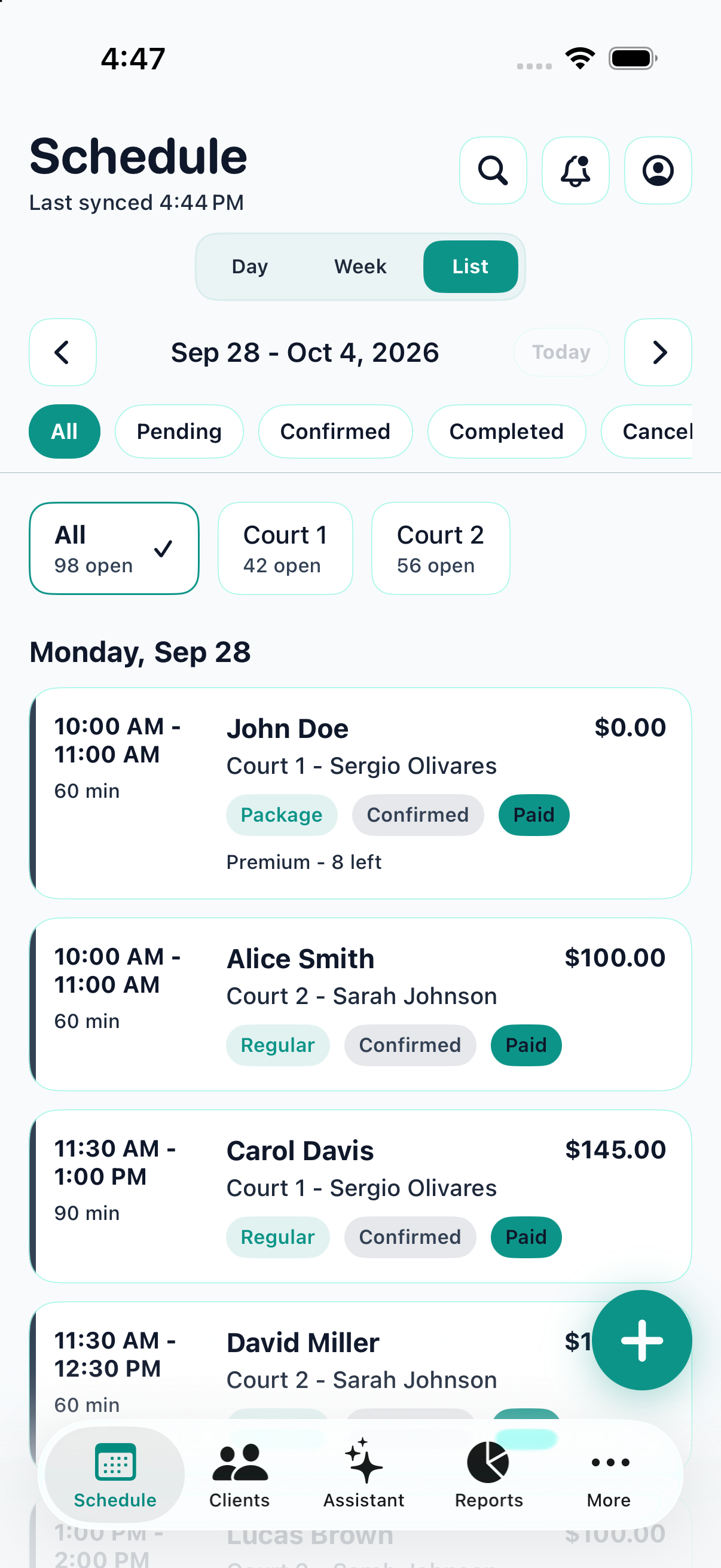
See confirmed lessons, courts and payment status at a glance.
The essentials, together
See bookings, coaches and court times in one schedule.
Find client details, upcoming lessons and package balances quickly.
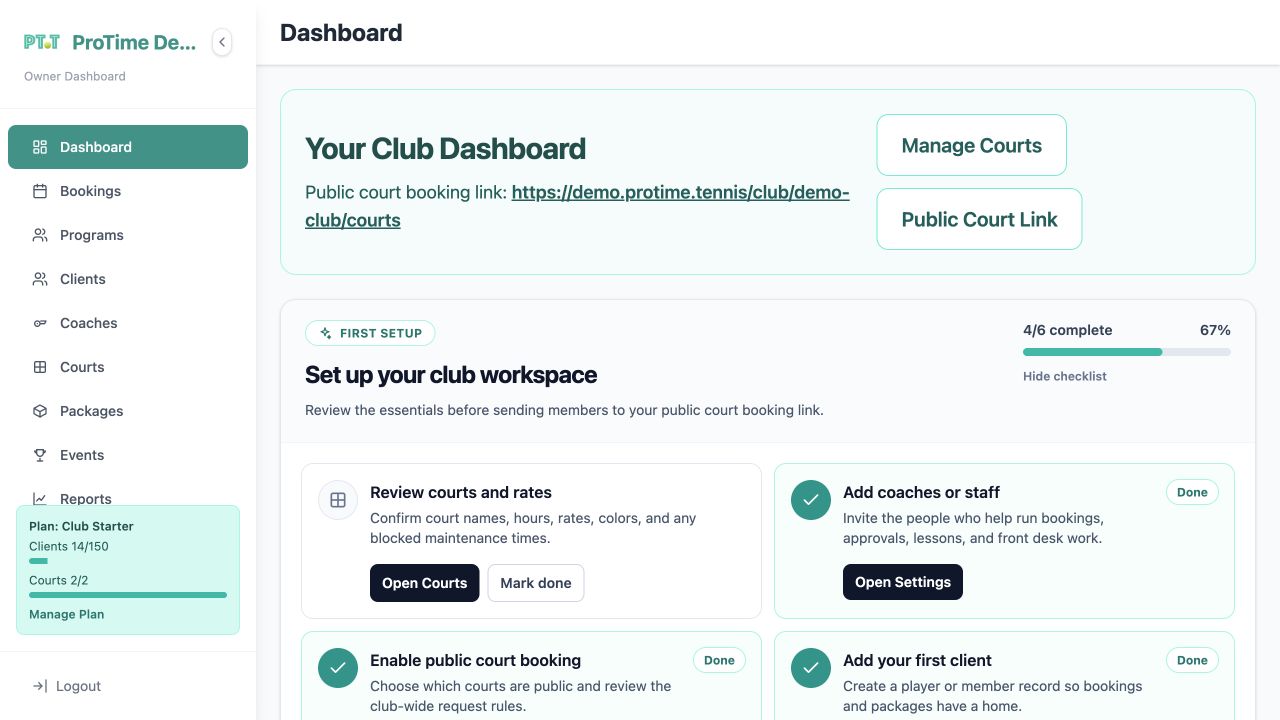
Let players request a time through your coach or club booking page.
Coach Pro adds Stripe payments, revenue reports and group sessions.
Reminders on your wrist. Phone notifications can also appear on your paired Apple Watch or Wear OS watch.
Ask Siri on iPhone. Open your next lesson or today’s schedule with the English ProTime shortcuts.
Mobile AI assistant · upcoming preview
Tell ProTime what you have in mind. Check the details. Confirm when you’re ready.
Try a request like this“Book Alex tomorrow at 6 PM on Court 2 for 60 minutes.”
Give a client, time and court in English or Spanish.
Check the client, court, date, time and duration. Adjust the details if needed.
Finish the booking and find the saved lesson in your schedule.
Mobile AI preview · public release coming soon
A plan for your role
Coaches start free. Clubs get a 14-day trial. No credit card.
$0/forever
Your own lesson book, without a monthly bill.
Early access
$9/month
More room to teach, charge and track your business.
Need more courts or clients? Talk to us about a tailored coach setup.
Built for a shared club operation: member records, staff permissions and court approvals.
Founding plan
$75/month
A shared workspace for courts, staff and members.
Custom
For a larger club or a tailored rollout.
Need more courts or staff? Ask about a larger club or enterprise rollout.
We keep the limits focused on what buyers usually ask first: courts, clients, staff, payments, and reporting.
| Feature | Coach Free $0 |
Coach Pro Early Access $9 |
Club Founding Plan $75 |
Enterprise Custom |
|---|---|---|---|---|
| Limits | ||||
| Courts / locations | 1 | 3 | 2 | Custom |
| Members / Clients | 10 | 50 | 150 | Custom |
| Staff accounts | 1 | 1 | 4 | Custom |
| Core product | ||||
| Booking calendar | ✓ | ✓ | ✓ | ✓ |
| Client management | ✓ | ✓ | ✓ | ✓ |
| Lesson packages | ✓ | ✓ | ✓ | ✓ |
| Public booking | Coach page | Coach page | Club workflow | Custom setup |
| Growth features | ||||
| Stripe payments | — | ✓ | — | Optional |
| Revenue reports | — | ✓ | Basic | Expanded |
| Group sessions | — | ✓ | — | Optional |
| Priority onboarding | — | — | — | ✓ |
Web plan prices in USD. The mobile AI assistant shown here previews the next app release. Current scheduling, client and package tools remain available.
Before you start
Yes. Coach Free includes one court or location, 10 clients, a public booking page and lesson packages. Move to Coach Pro when you need higher limits, payments or reports.
The mobile AI assistant is planned for an upcoming app release. The recordings show a prerelease preview using demo data. Use the current web and iPhone apps to manage bookings manually.
The upcoming assistant supports booking instructions in English and Spanish. Voice recognition depends on your device. iPhone screenshots follow the page language. Both videos show the prerelease Android app in English; the 55-second preview has English and Spanish captions.
The upcoming mobile AI release is planned to include 100 booking drafts per workspace each calendar month. Manual booking remains available independently of that allowance.
Create a club workspace and try it for 14 days without a credit card. The Club plan is designed for shared courts, staff accounts, member records and booking approvals.
The court is calling
Free for solo coaches. A 14-day trial for clubs. No credit card.
 Android app · coming soon